
What a ComfyUI consistent character workflow tries to control
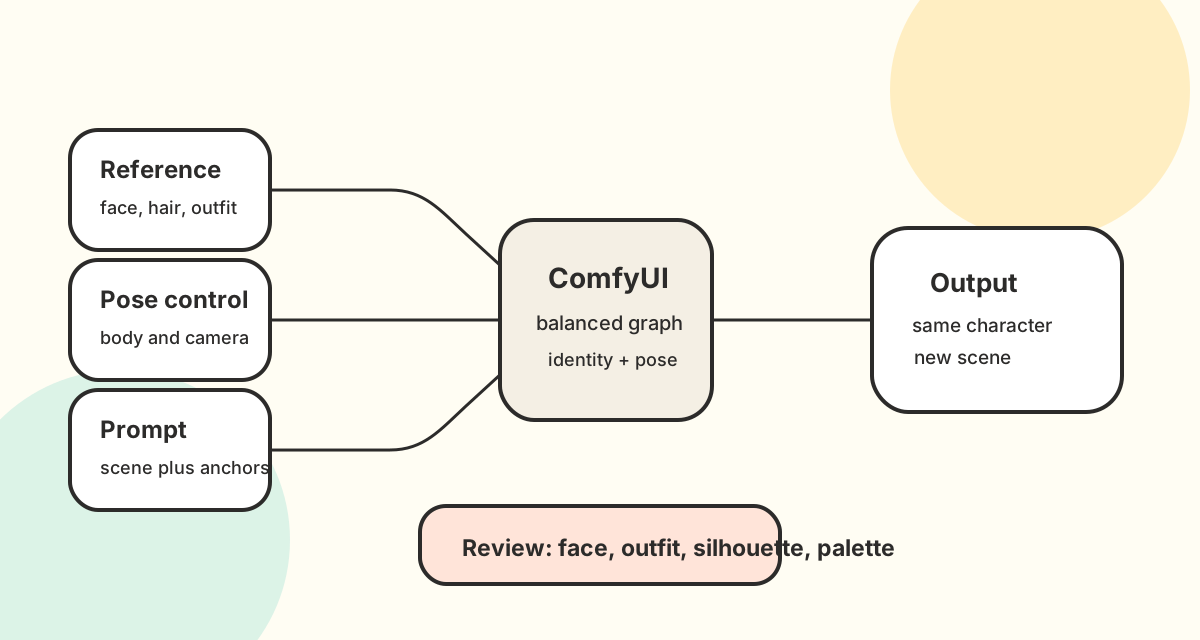
A ComfyUI consistent character workflow tries to keep the same recognizable character while changing the scene, pose, expression, camera angle, or background. The practical goal is not just to make a good single image. The goal is to protect identity anchors: face structure, hairstyle, outfit details, silhouette, body proportions, and color palette.
This matters because ComfyUI gives creators a modular node graph instead of one fixed product flow. That flexibility is powerful, but it also means character consistency depends on how reference images, pose controls, model choices, and prompts work together. A weak graph can preserve style while losing the character. A stronger graph makes the reference identity explicit, constrains the new pose, and leaves enough room for the target scene.
Use this guide as a planning framework. Node names and extensions change quickly, so the safer pattern is to understand the control layers before copying any single graph.
Workflow map: identity, pose, and scene controls
A reliable workflow separates three jobs that are often mixed together:
- Identity reference: the source image or character sheet that defines who the character is.
- Pose or composition control: a sketch, OpenPose-style guide, depth map, or layout reference that defines where the body and camera should go.
- Scene prompt: the written instruction for environment, mood, lighting, style, and output use case.
When those jobs conflict, drift appears. For example, a pose guide with a different body type can pull the output away from the reference. A prompt that over-specifies clothing can override outfit details. A style LoRA can strengthen the look while weakening the face. The solution is not one magic seed. It is a graph where each control has a clear role.
A practical ComfyUI character consistency setup
Start with the strongest reference you have. A clean portrait can protect the face, but a full-body image or simple character sheet gives the graph more information about outfit, proportions, and silhouette. If the character has a signature jacket, mascot shape, hair outline, or color blocking, make sure the reference shows it clearly.
Then choose one pose or layout target. Many creators use OpenPose-style control, depth, line art, or a rough composition image. The pose layer should describe action and framing, not replace the character's identity. If your pose source includes another person's clothing or face, reduce its influence or clean it before using it.
The prompt should repeat identity anchors in normal language. Instead of only writing "same character," name the anchors: same face shape, same hairstyle, same outfit silhouette, same color palette, same mascot proportions. This gives the graph and the text conditioning the same target.
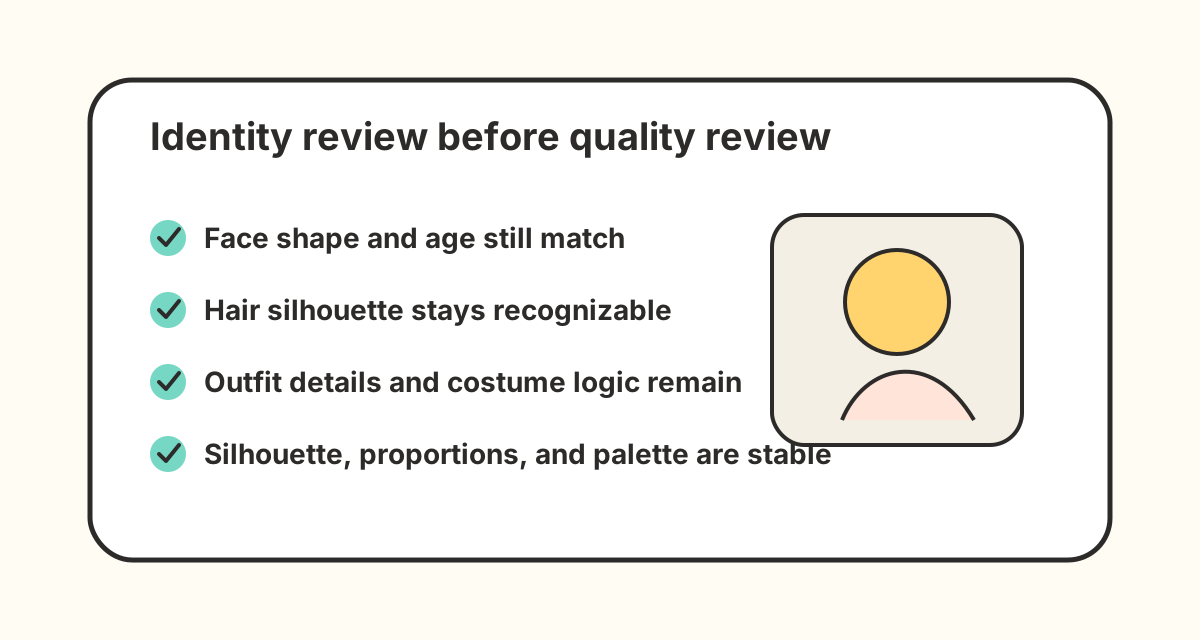
Finally, review the output against the reference before changing settings. Check face, hair, outfit, silhouette, palette, and age. If all six drift at once, the identity control is too weak. If the pose is ignored but identity stays stable, the pose control is too weak. If the character is correct but the image looks over-constrained, reduce control strength gradually.
Common building blocks and what they are for
ComfyUI users often combine several control methods. The names vary by extension and model family, but the jobs are consistent.
Reference-image identity control
IPAdapter-style workflows, face reference methods, and identity preservation nodes are used to pull recognizable visual details from a source image. They are useful when the face, hair, and general design must survive a scene change. They are not a guarantee that every clothing seam or mascot shape will remain exact.
Pose and layout control
ControlNet, OpenPose, depth, scribble, line art, and composition references can guide body position and camera structure. This is useful for action scenes, Webtoon panels, game NPC cards, and storyboard beats. Pose control should not be asked to carry character identity by itself.
LoRA and style control
A character LoRA can help when you have enough training material, but it adds setup time and can overfit the character to one style. Style LoRAs can also compete with identity. If the output looks like the style but not the character, reduce style influence or strengthen the reference layer.
Prompt anchors
Prompt anchors are the plain-language details that must not drift. They are especially important when you change the background, outfit context, camera angle, or art style. Good anchors are concrete: "same round glasses," "same teal jacket," "same short silver bob," "same fox mascot silhouette."
ComfyUI storyboard workflow
A ComfyUI storyboard workflow has a different success condition from a single polished illustration. In storyboard planning, the character may appear in rough camera tests, action beats, reaction shots, and environment layouts. The image does not have to be final, but the viewer should still recognize the same person or protagonist from shot to shot.
For this use case, keep the identity reference stable and change only the scene or pose layer between tests. A storyboard pass can use simpler backgrounds and looser rendering, but it still needs consistent face shape, hair silhouette, costume blocks, and body proportions. If every shot changes the face or age, the storyboard will not help a team judge continuity.
When the storyboard is anime-focused, you can also test the same continuity pattern in the anime character generator. That page is built around preserving the same anime character identity across expressions, outfits, poses, and story scenes without maintaining a local ComfyUI graph.
ComfyUI character sheet setup
A ComfyUI character sheet is often the strongest reference source because it shows more than the face. A full-body sheet can define hair shape, eye design, outfit silhouette, color palette, proportions, and accessories in one place. That gives identity-control nodes and prompt anchors more information than a cropped portrait.
For recurring characters, create or select a character sheet before testing difficult scene changes. Use a front-facing or neutral pose for the reference, then use the pose layer to drive the new action. If the sheet includes multiple expressions or turnarounds, choose the crop that best matches the current generation target instead of feeding the graph conflicting references.
Step-by-step workflow
1. Prepare the reference image
Pick one clear image first. If you have a character sheet, use the crop that best shows the identity for the current task. Face-heavy outputs need face detail. Full-body outputs need silhouette and outfit detail. Avoid low-resolution, cropped, or heavily stylized references if they hide the anchors you care about.
2. Choose the target scene and pose
Decide what should change before touching the graph. Is the character becoming a game NPC portrait, an anime key visual, a vertical Webtoon panel, or a storyboard shot? Choose one target. Then add a pose or composition guide only if the scene requires it.
3. Write the identity-preserving prompt
Use a prompt structure like this:
same character as the reference, same face shape, same hairstyle, same outfit silhouette,
same color palette, [new pose/action], [new scene], [camera/framing], [style], polished image
Keep the identity section stable while changing the scene section. This makes testing easier because you can see which change caused drift.
4. Balance control strengths
Increase identity control when the face, hair, or outfit changes too much. Increase pose control when the body action is ignored. Reduce style or prompt pressure when the image becomes stiff, distorted, or too close to the reference.
5. Review identity before quality
Do not judge only sharpness or beauty. A polished image that changed the character is still a failed consistency output. Compare the result with the reference across six anchors: face, hair, outfit, silhouette, palette, and age.
Troubleshooting drift
Face drift
If the face changes, strengthen the identity reference and simplify the prompt. Avoid adding celebrity names, conflicting age cues, or unrelated face descriptors. If the graph has separate face and composition controls, test face control without pose control to isolate the problem.
Outfit drift
If clothing changes, add concrete outfit anchors to the prompt and use a reference that shows the outfit. A headshot cannot preserve shoes, jacket shape, or full-body costume details. For recurring characters, a simple front-facing full-body sheet is often more useful than a dramatic cropped image.
Pose conflict
If the character ignores the target pose, check whether the pose control is too weak or whether the reference image is fighting it. A strong front-facing reference plus a strong action pose can produce awkward compromises. Lower one layer at a time instead of changing the whole graph.
Style overpowers identity
If the output matches the art style but not the character, the style layer is too dominant. Reduce style LoRA weight, simplify style words, or increase identity control. Keep a small test prompt that changes only one variable so you can see which layer caused drift.
ComfyUI versus CharacterLock AI
ComfyUI is best when you want local control, custom nodes, repeatable graphs, and detailed experimentation. It is a strong choice for technical creators who enjoy tuning the pipeline and maintaining dependencies.
CharacterLock AI is best when you want a simpler hosted workflow: upload one reference character, describe one target scene, and generate one consistent still image. It does not replace a full local ComfyUI setup. It removes graph maintenance for creators who care more about getting a scene-ready character visual than tuning every node.
Use ComfyUI when you need custom pipelines. Use CharacterLock AI when you need a focused consistent character AI generator for anime, Webtoon, game, story, teaching, storyboard, or mascot scenes.
Prompt patterns for ComfyUI consistent characters
For an anime key visual:
same character as reference, same face shape, same short hair silhouette, same jacket shape,
same color palette, cinematic anime key visual, confident standing pose, city lights, clean line art
For a Webtoon panel:
reference-locked character identity, same face and hairstyle, same outfit details,
vertical Webtoon panel, walking through a bright doorway, expressive but consistent design
For a game NPC concept:
same character identity, same proportions and palette, same costume silhouette,
friendly guide NPC portrait, stylized adventure town background, polished concept art
FAQ
Can ComfyUI keep the same character across images?
Yes, but it depends on the workflow. A consistent character setup usually needs a clear reference image, identity control, pose or composition control, and prompt anchors. A seed alone is not enough for reliable character consistency.
Is IPAdapter enough for a consistent character workflow?
It can help preserve identity from a reference image, but it is only one layer. Pose, style, prompt wording, model choice, and control strength can still change the character. Treat it as part of the graph, not the whole solution.
Do I need a character LoRA?
Not always. A LoRA can help when you have enough images and need repeatable style-specific outputs. For many one-reference tasks, a reference-image workflow is faster to test. Use a LoRA when the character must appear often and the training cost is justified.
Why does my character change clothes in ComfyUI?
The graph may not have enough outfit information, or the prompt may be asking for a conflicting outfit. Use a full-body reference when outfit continuity matters and write concrete clothing anchors instead of relying on "same character" alone.
When should I use CharacterLock AI instead?
Use CharacterLock AI when you want the shortest path from one reference image to one consistent character output. It is designed for creators who do not want to maintain a local ComfyUI graph for every scene.
Next step
If you want a hosted workflow instead of a local node graph, try the Consistent Character AI Generator. Upload one reference image, choose a scene, and review whether the generated output preserves the same face, hair, outfit, silhouette, and palette.